
Connect the tools you already use.
Import documents from Google Drive, Dropbox, and OneDrive, mirror every signed file back to your own cloud, and post signing events straight to Slack. Sign where your work already lives.
 Google Drive
 Dropbox
 OneDrive
 Slack
Slack
Import from your cloud.
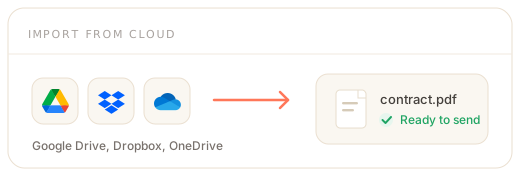
Pull a document straight from Google Drive, Dropbox, or OneDrive when you start a signature request, instead of downloading and re-uploading. You connect once with OAuth, then pick a file anytime. Cloud import is included on every plan.
Google DriveDropboxOneDrive- Google Drive, Dropbox, and OneDrive
- OAuth once, then pick a file from a native picker
- Google Docs, Sheets, and Slides convert to PDF automatically
- We fetch only the file you choose, when you choose it
A copy in your account.
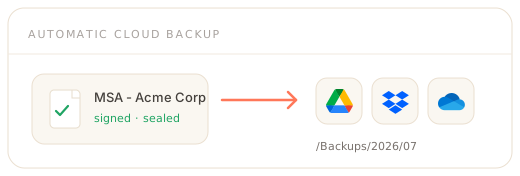
Turn on automatic cloud backup and every signed document, with its audit certificate, is written to a folder in your own cloud the moment it completes. It is your durable, off-platform record. Automatic backup is available from the Business plan.
- Every completed envelope mirrored to your own cloud
- Google Drive, Dropbox, OneDrive, or your own S3 bucket
- Organised into dated folders you can template
- Encrypted, idempotent, with automatic retries
Signing events in Slack.
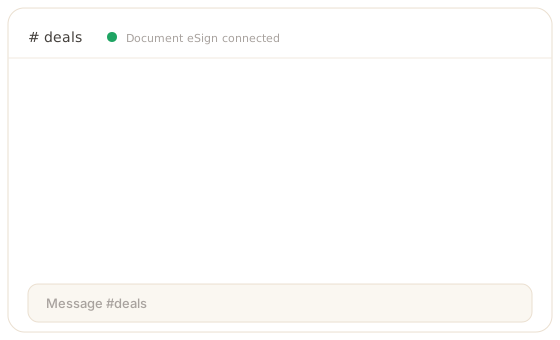
Keep your team in the loop without leaving Slack. When a document is sent, viewed, signed, completed, declined, or expires, Document eSign posts a tidy message with a link back to the document, in the channel you choose. Slack notifications are available from the Growth plan.
Slack- One channel per event, admin-managed
- Sent, viewed, signed, completed, declined, expired
- Outbound only - we never read your messages
- Connect with OAuth, disconnect anytime
Connected in a click.
Every integration uses OAuth, so setup is a permission screen, not a config file. Connect from your workspace settings and you are live.
Connect with OAuth
Approve the permission screen at Google, Microsoft, Dropbox, or Slack. No API keys or passwords to paste.
Pick files or a channel
Choose a document from your cloud when you send, or pick which Slack channel receives each event.
Stay in control
Integrations are administered per workspace. Disconnect at any time to revoke the token immediately.
Integrations - FAQ
What does Document eSign integrate with?
Document eSign connects to your cloud storage and to Slack. You can import documents straight from Google Drive, Dropbox, or OneDrive, mirror every signed document back to your own cloud as an automatic backup, and post signing events into a Slack channel. Cloud import is available on every plan, automatic cloud backup is available from the Business plan, and Slack notifications are available from the Growth plan. Each provider only appears once your administrator has connected it.
How do I connect an integration?
You connect through OAuth from your workspace settings, so you never paste an API key or password. Click connect, approve the permission screen at Google, Microsoft, Dropbox, or Slack, and the connection is live. Cloud storage connections let you pick a file whenever you start a document, and the Slack connection lets an admin choose which channel receives each event. You can disconnect any integration at any time, which revokes the token.
Do you store my cloud files?
No. For cloud import, we download the single file you pick at the moment you pick it and add it to your document draft; we do not browse or sync your drive. For automatic backup, we write a copy of the signed document into a folder in your own cloud account. You stay in control of the connection and can revoke access whenever you want.
Which plans include integrations?
Cloud storage import from Google Drive, Dropbox, and OneDrive is included on every plan, including Free. Automatic cloud backup of signed documents is available from the Business plan. Slack notifications are available from the Growth plan. Data residency, which pins documents and backups to a US or EU region, is an Enterprise capability.
Connect the tools your team already uses.
Create a free account and connect Google Drive, Dropbox, OneDrive, or Slack in a click. Import documents, back up signed files, and route signing events to Slack.